🔒 Official Gov't Portals Only
💳 Transparent Pricing
⚡ Fast Processing
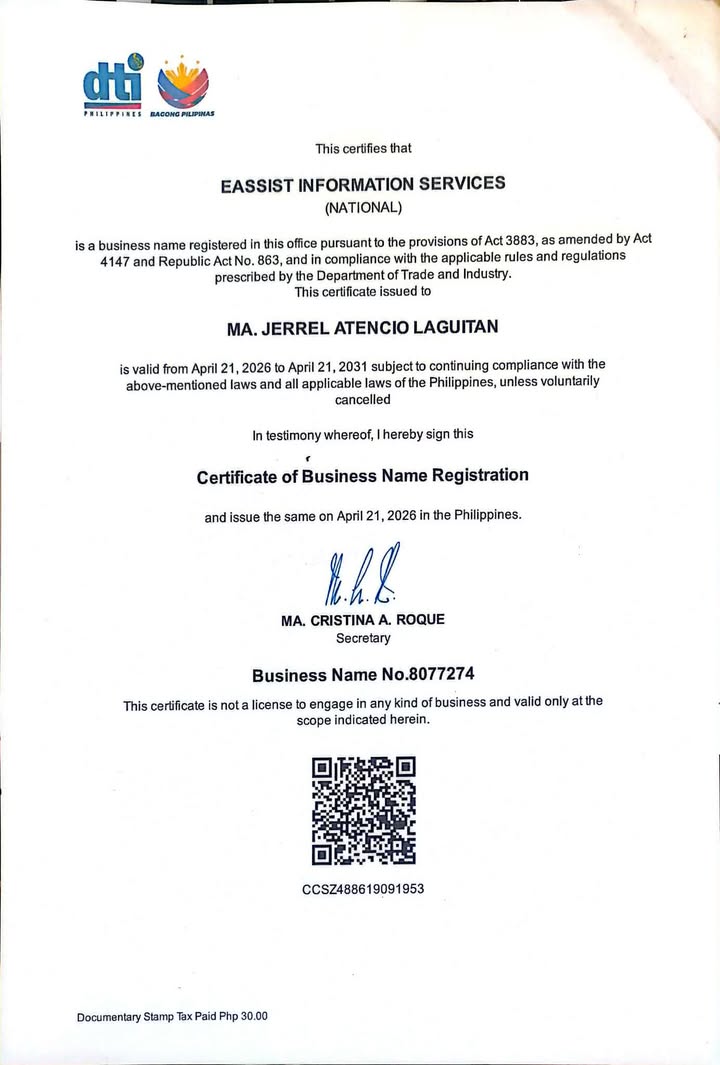 DTI Registered Business
🌐 Online — Available 24/7
Guided online assistance for PSA, NBI, Police Clearance, and DFA Passport services. EAssist PH is an independent service provider and is not affiliated with any government agency.
EASSIST50
DTI Registered BusinessIndependent online assistance for four government transactions. Some services still require the applicant to appear in person at the government office.
We help submit PSA civil registry document requests through the government portal and coordinate delivery.
We book your NBI slot, handle all portal steps, and confirm your appointment date — you just show up.
Get your PNP clearance appointment booked online. National or local clearance — we handle the registration.
We handle your DFA passport appointment booking — new applications, renewals, and lost passport replacement. You just show up.
PRC license registration and renewal assistance — coming soon.
Coming SoonHassle-free flight booking assistance — coming soon.
Coming SoonAfter you submit your request, a real EAssist team member calls you first to verify your details before we submit or book anything. You can ask questions, correct information, and feel confident before we proceed.
Five simple steps with a real verification call before we process.
Complete our simple online form with your details — takes under 5 minutes.
Pay via GCash, Maya, or card through our PayMongo-secured checkout.
We verify your details and call you first before we process, so you can ask or correct anything.
After your confirmation, our team books your appointment or submits your request.
Arrive on your scheduled date with your valid ID — that's it!
See the government or third-party charges and EAssist service fee itemized below before you book.
EAssist is not affiliated with, endorsed by, or connected to any government office or agency — including NBI, PNP, PSA, or DFA.
All bookings, appointments, and document requests are processed exclusively through official government websites and portals.
We assist clients with their online transactions and appointments. Government fees are payable directly to the agency and are separate from our service fee.
By using EAssist, you acknowledge that we act solely as an online assistant to facilitate your government transactions and are not a representative of any government institution.
EAssist's business name is registered with the Philippine Department of Trade and Industry. Business-name registration is not government authorization, accreditation, or endorsement of our services.